This is the write-up for Assignment 02 of GAMES 6320 (Game Engineering II). Assignment 01 hard-coded all of the geometry and shading into the platform-specific Graphics.d3d.cpp and Graphics.gl.cpp files. Assignment 02 is about separating what from how: introduce a platform-independent cMesh (geometry) and cEffect (shading) interface, replace the hard-coded data in both renderers with instances of those abstractions, and add a second triangle so the two triangles together render a filled rectangle.
Download
Release build (Direct3D x64): MyGame_Assignment02_Release_x64.zip
Unzip it and run
MyGame.exe. Controls: none (this assignment has no input controls; pressEscto close the window).
The platform-independent interfaces
Mesh
cMesh exposes a platform-independent interface with three operations:
|
The method signatures contain no Direct3D or OpenGL types. The platform-specific data lives behind #if guards, and the implementation lives in Direct3D/cMesh.d3d.cpp and OpenGL/cMesh.gl.cpp. The mesh ends up almost entirely platform-specific because the two APIs describe vertex data differently (an input layout + ID3D11Buffer vs. a VAO + VBO).
Effect
cEffect has the same kind of platform-independent interface:
|
Unlike the mesh, the effect has real platform-independent code. The shared cEffect.cpp loads the vertex/fragment shaders through the already platform-independent cShader::Load() and computes the render-state bits. Only the GL “link a program” step and the actual bind calls are platform-specific. This produces the three files the assignment asks for:
cEffect.cpp(platform-independent)Direct3D/cEffect.d3d.cppOpenGL/cEffect.gl.cpp
Using the interfaces
The important part is that the calling code is now identical in Graphics.d3d.cpp and Graphics.gl.cpp. Initialization:
|
Per-frame rendering:
|
Only a few lines, and the exact same lines appear in both platform files. The platform-specific “how” is hidden inside cMesh and cEffect.
The second triangle and winding order
The rectangle is a unit square from (0,0) to (1,1) in clip space, split along its diagonal into two triangles. The six vertex positions are the same on both platforms, but the vertex order differs because Direct3D is left-handed (front faces are clockwise) while OpenGL is right-handed (front faces are counter-clockwise).
Direct3D vertex order:
|
OpenGL vertex order:
|
No shader changes were needed; the color is still animated by the fragment shader.
Remaining differences between the two Graphics files
Even after this refactor the two files are not identical, because some things are inherently platform-specific:
- Clearing the render target:
ClearRenderTargetView()vs.glClear(). - Clearing depth:
ClearDepthStencilView()vs.glDepthMask()+glClear(). - Presenting the frame:
IDXGISwapChain::Present()vs.SwapBuffers(). - The swap-chain/render-target setup in
InitializeViews()exists only in Direct3D.
To eventually get a single platform-independent Graphics.cpp, those calls would be moved behind the same “platform-independent interface / platform-specific implementation” pattern, for example a cRenderTarget/cSwapChain abstraction or a smaller set of Clear()/Present() methods. The constant buffer and the frame-submission logic are already platform-independent and could be shared directly.
Screenshots
All screenshots were generated by repeatable scripts rather than by hand. The scripts live under Tools/ (Capture-GameWindow.ps1, Capture-D3D.ps1, Capture-OpenGL-RenderDoc.ps1, Capture-VSGraphicsAnalyzer.ps1, and Capture-RenderDoc-UI.ps1).
Running game
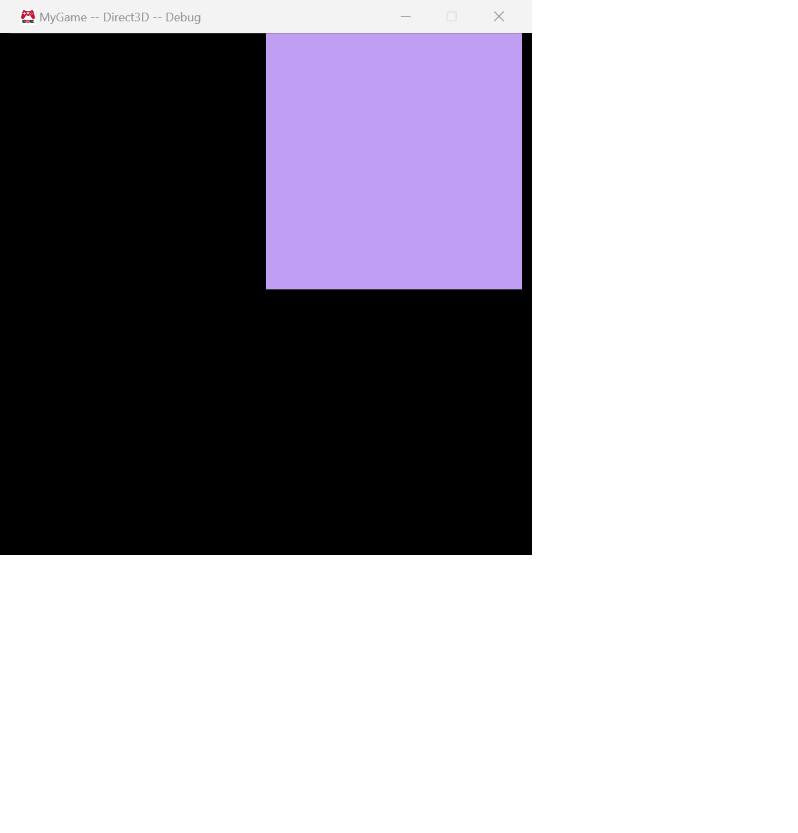
The upper-right corner shows a filled, animated-color rectangle. The image is a window-only capture, not a full-desktop screenshot.
Direct3D — Visual Studio Graphics Analyzer
ClearRenderTargetView()is highlighted; the render target is all black.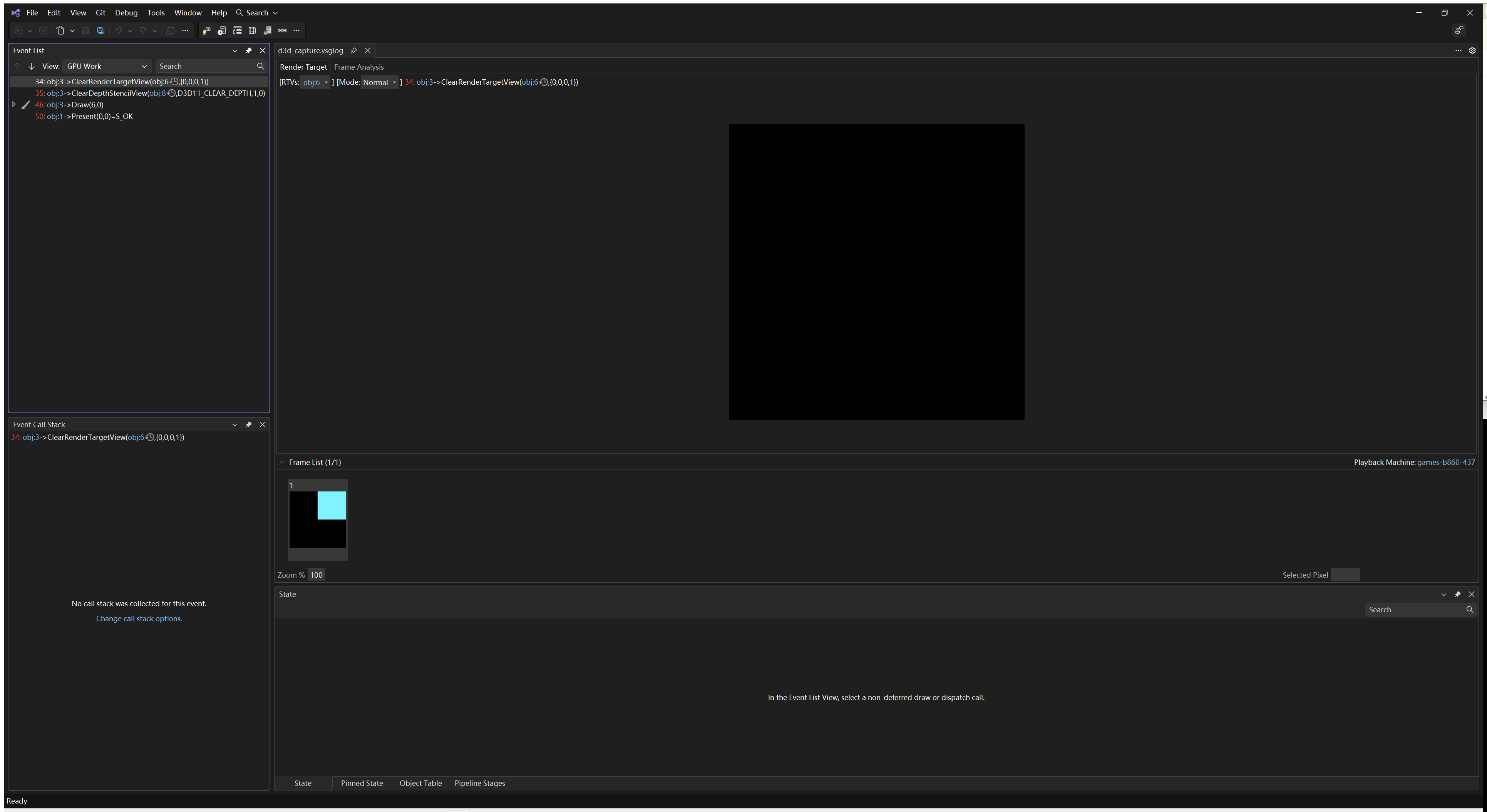
Draw()is highlighted;Pipeline Stagesis selected, the render target shows the mesh, and the pipeline-stage thumbnails show the two triangles as a wireframe.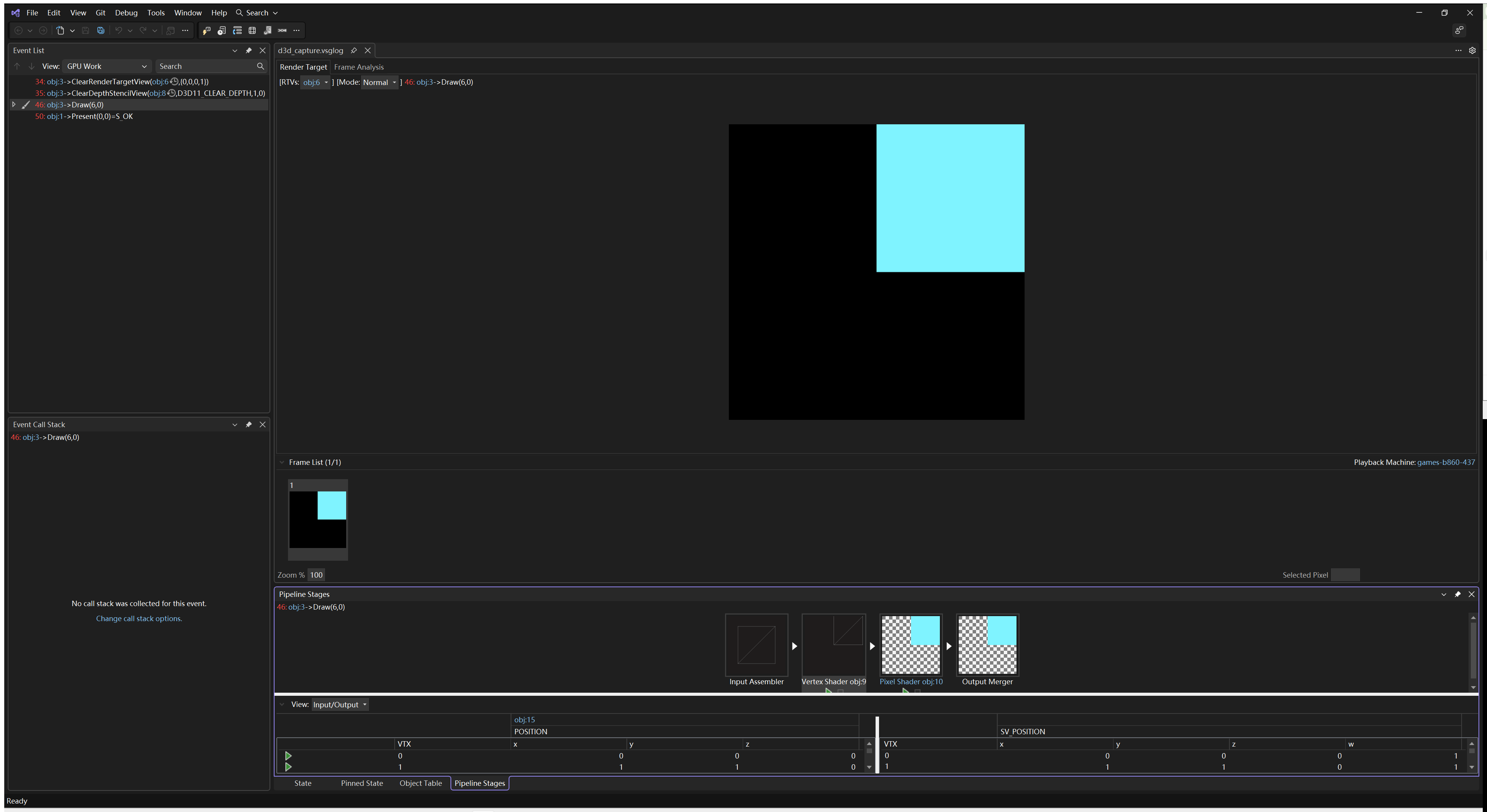
OpenGL — RenderDoc
glClear()is highlighted and the “Texture Viewer” tab is selected; the render target is all black.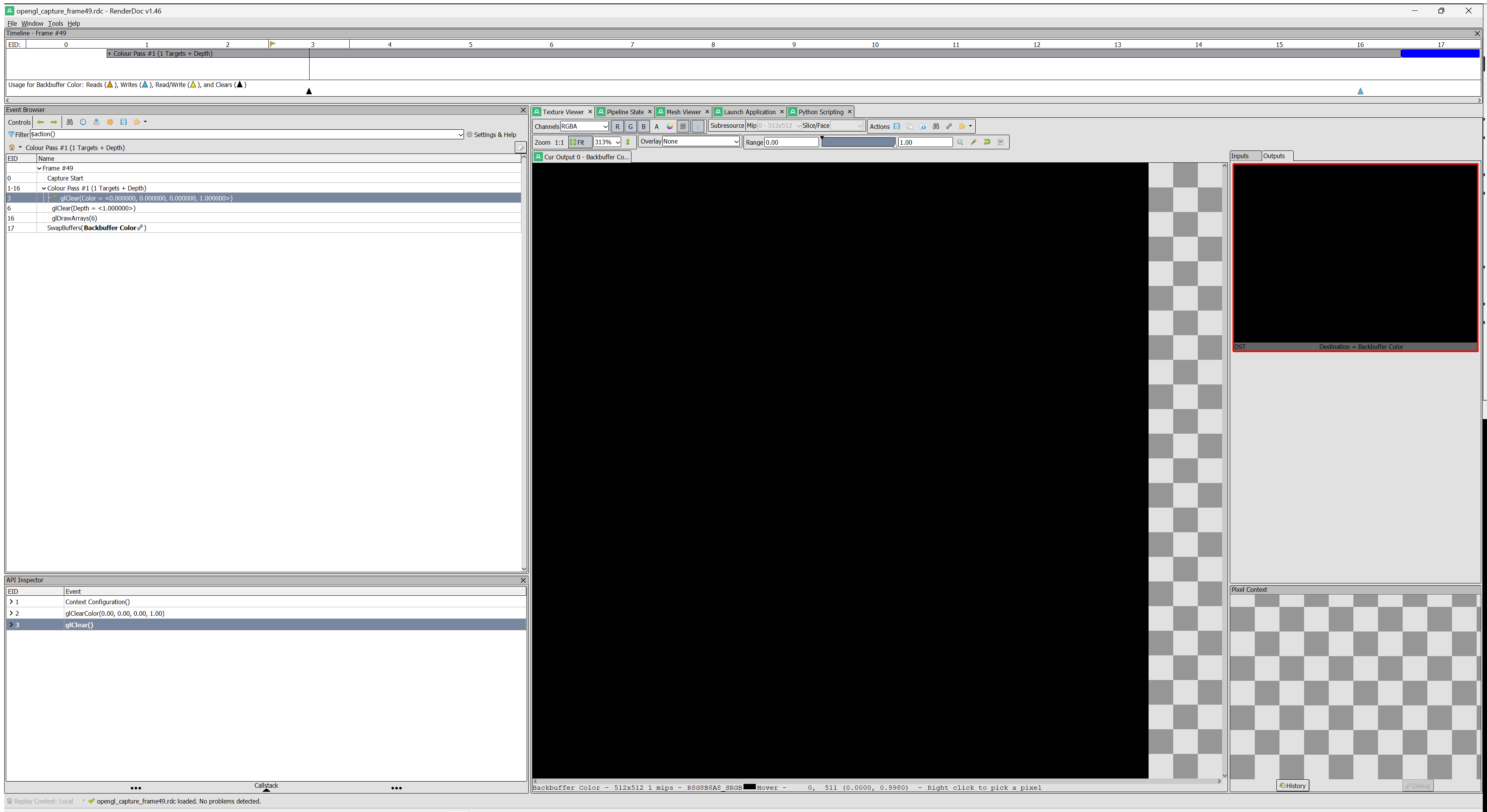
glDrawArrays()is highlighted and “Texture Viewer” is selected; the render target shows the filled rectangle.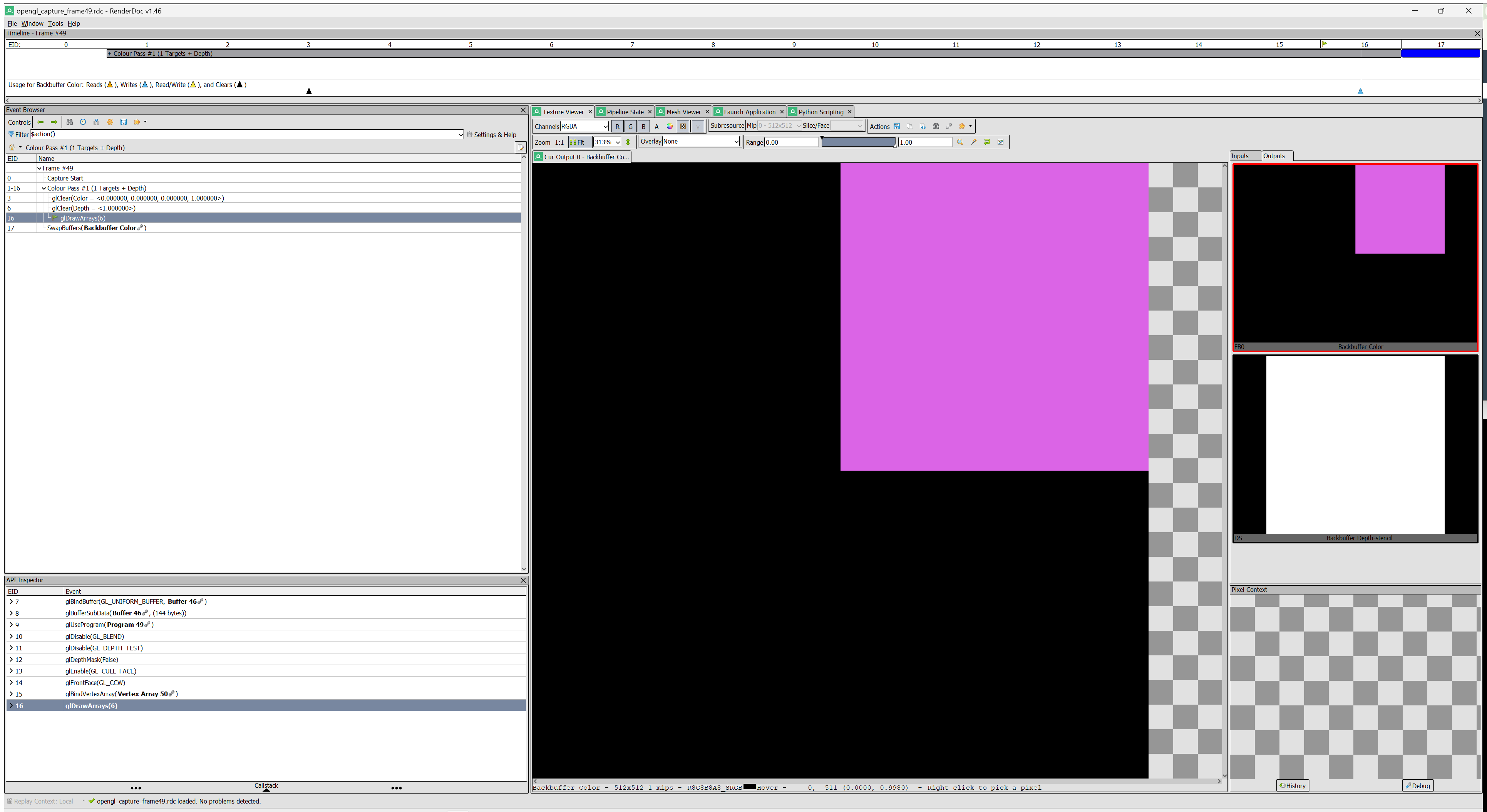
glDrawArrays()is highlighted and the mesh output is selected; the two triangles are visible.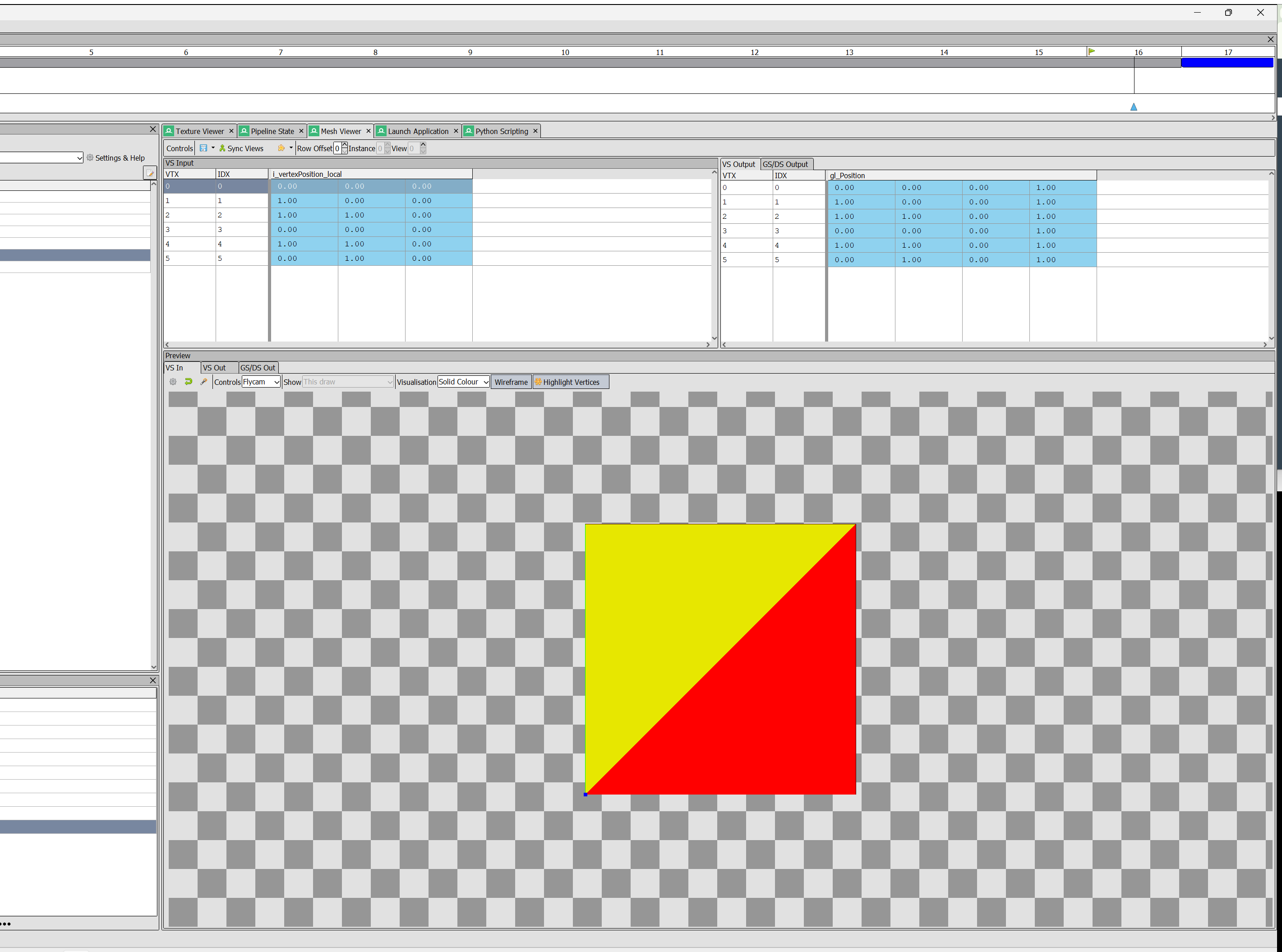
Capture notes
- Direct3D:
dxcap.execaptures a.vsglog;VsGa.exeopens the Visual Studio Graphics Analyzer UI, and a UIAutomation script selects the target event and saves the window. - OpenGL:
renderdoccmd.execaptures an.rdc; aqrenderdoc --scriptPython job exports the raw color outputs atglClearandglDrawArrays, and aqrenderdoc --ui-scriptjob sets the event/viewers before a window screenshot is saved.
Build / test
All four configurations were built cleanly with warnings treated as errors:
Debug|x64(Direct3D)Release|x64(Direct3D)Debug|x86(OpenGL)Release|x86(OpenGL)
The temp/ directory was generated from scratch during these builds (clean-build test). The downloadable ZIP above is the Direct3D Release build.
Reflection
The most useful design decision was deciding where platform-independent code should live. cMesh ended up almost entirely platform-specific because Direct3D and OpenGL describe vertex buffers differently, while cEffect had a meaningful shared part because shader loading and render-state flags can be expressed without API types. Seeing both cases side by side made the “interface vs. implementation” split concrete.
The second-triangle change was small but forced me to think about winding order. Direct3D and OpenGL use opposite front-face conventions, so the same six vertices cannot simply be copied between platforms; the triangle order has to be reversed.
The screenshots took the most engineering time. I automated three different layers: a Win32 window capture for the running game, dxcap.exe/renderdoccmd.exe for raw GPU captures, and UIAutomation plus RenderDoc’s --ui-script for the tool-UI screenshots. The UI automation is the most brittle part, but it makes the assignment reproducible instead of relying on manual Print Screen captures.
If I did this again, I would build the screenshot/artifact scripts before starting the code changes and add a single Generate-Screenshots.ps1 entry point that runs every capture in sequence. The next refactor step would be to move the remaining platform-specific clear/present logic behind another small abstraction so that Graphics.d3d.cpp and Graphics.gl.cpp can eventually become one file.