GAMES 6320 · Assignment 05
Cameras, game objects, platform-independent shaders
Cameras, game objects, and platform-independent shaders. The engine gets an actual world — meshes are authored in local space and placed by a local-to-world transform, a camera supplies world-to-camera and camera-to-projected matrices, and the game tracks game objects with a position and velocity. Shaders are also rewritten so that almost everything in them is written once for both HLSL and GLSL.
This is the write-up for Assignment 05 of GAMES 6320 (Game Engineering II): cameras, game objects, and platform-independent shaders. The engine gets an actual world — meshes are authored in local space and placed by a local-to-world transform, a camera supplies world-to-camera and camera-to-projected matrices, and the game tracks game objects with a position and velocity. Shaders are also rewritten so that almost everything in them is written once for both HLSL and GLSL.
Download
Release build (Direct3D x64): MyGame_Assignment05_Release_x64.zip
The ZIP contains a Direct3D Release build (
x64). Unzip it and runMyGame.exe.Controls:
Key What it does Arrow keys Move the colored object left / right / up / down Space(hold)The colored object becomes a triangle instead of a rectangle A/DMove the camera left / right W/SMove the camera forward / back EscExit
1. What the assignment was about
Until now everything my engine drew was glued to the screen. Vertex positions were typed
in directly as screen coordinates, and the three transforms in the vertex shader were
either missing or identity matrices. This assignment is where the engine gets an actual
world:
- A mesh is authored once in its own local space, and a local-to-world transform
decides where one particular instance of it is. - A camera decides from where that world is looked at (world-to-camera) and how it
is flattened onto the screen (camera-to-projected). - The game keeps track of game objects — things with a position and a velocity that
happen to look like something — while Graphics still only knows about meshes, effects
and matrices.
The second half of the assignment is housekeeping that makes all of the above cheaper to
write: shaders used to contain every line twice (once in HLSL, once in GLSL), and now
almost everything in them is written once.
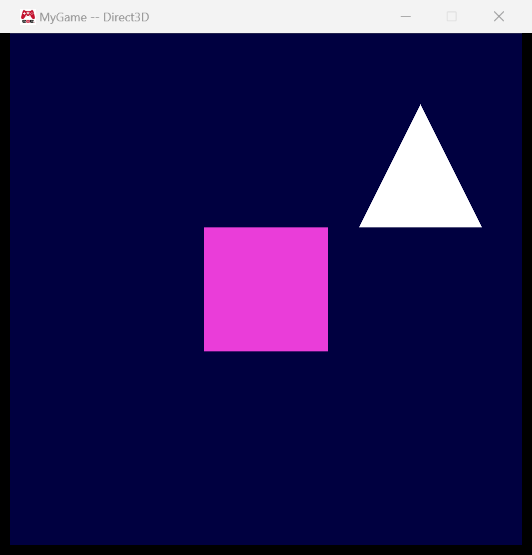
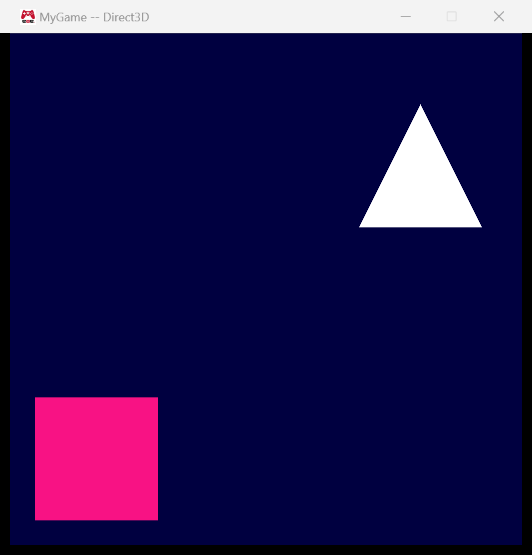
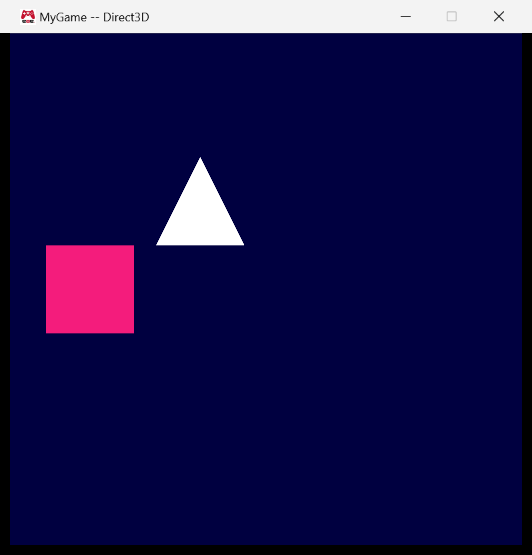
2. Screenshots
All three show the Direct3D build. The white triangle is a second game object that never
moves; I added it as a landmark so that movement is visible in a still image.
The object where it starts:
The same object after holding Left and Down:
The object at its starting position again, while Space is held. It is the same game
object with the same effect and the same transform; only the mesh that it submits is
different:

The camera can move too. Here it has moved right and back, so everything appears further
left and smaller (because of the perspective projection):
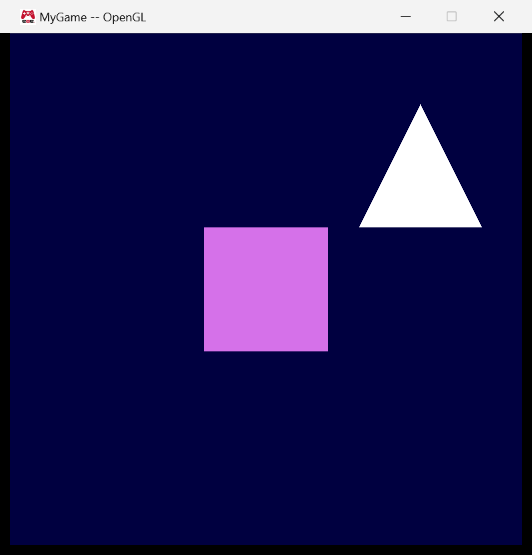
OpenGL looks the same (the rectangle’s color is animated, so its hue depends on when the
screenshot was taken):
3. My representation of a game object
|
It stores two kinds of data:
- Where it is and how it is moving — a
Physics::sRigidBodyState(position,
velocity, acceleration, orientation, angular velocity). This is simulation state.
Graphics never sees it. It is what makes the object a “thing” rather than a picture:
the velocity in particular is meaningless to the renderer but is exactly what the game
needs in order to move the object and to predict where it will be. - What it currently looks like — a pointer to a mesh and a pointer to an effect.
These are deliberately current values and not part of the object’s identity. When
Space is held the player object is still the same object in the same place; it just
points to a different mesh. The same mechanism would be used for a power-up that changes
the player’s shape, or an enemy that switches effect when it becomes hostile.
Meshes and effects are reference counted in my engine (that was Assignment 04), soSetMesh() and SetEffect() increment the count of what they are given and decrement the
count of what they replace. A game object therefore can’t end up pointing to a mesh that
someone else has destroyed. I deleted the copy constructor and assignment operator so that
I can’t accidentally copy a game object without deciding what that means for the counts.
cGameObject and cCamera live in the game project, not in the engine’s Graphics
project. Graphics is “low level”: the game may know about Graphics, but Graphics must not
know about the game.
4. Submitting game objects to be rendered
This is all the code in cMyGame::SubmitDataToBeRendered():
|
From the game programmer’s point of view the statement is “this thing should be visible
this frame”. What the thing looks like and where it is are already known by the object,
so the only argument is the one piece of information that the object can’t know: how much
time has passed since the simulation was last updated.
Underneath, a game object translates itself into the three things that Graphics cares
about:
|
SubmitMeshWithEffect() reads as “draw this mesh at this position and orientation
using this effect“. It is still public, so the game can draw something that isn’t a game
object if it wants to.
The camera works the same way. The game says m_camera.SubmitToBeRendered( ... ), and the
camera turns itself into the only data that Graphics needs:
|
I thought about passing position, orientation, field of view, aspect ratio and near/far
planes to Graphics and letting it build the matrices on the render thread. I decided
against it: Graphics would have to cache more data than it uses, and it would have to know
what a camera is. Two matrices are the smallest thing that a frame actually needs, and
they fit directly into the per-frame constant data that was already being cached, so
submitting a camera didn’t make the cached frame data any bigger. Switching cameras is
just calling SubmitToBeRendered() on a different cCamera.
My camera stores a rigid body state plus vertical field of view, aspect ratio and the
near and far plane distances. The aspect ratio is currently passed in by the game as 1
because the window is square; that is the one value I would rather derive from the real
window resolution.
5. How much memory does a draw call need now?
I measured this with sizeof() in a small program compiled against the engine’s real
headers, once per platform:
| Data cached per draw call | Direct3D (x64) | OpenGL (x86) |
|---|---|---|
| Pointer to the mesh | 8 | 4 |
| Pointer to the effect | 8 | 4 |
Draw call constant data (g_transform_localToWorld, 16 floats) |
64 | 64 |
| Total | 80 bytes | 72 bytes |
Before this assignment it was only the two pointers (16 / 8 bytes), so the transform is
now by far the biggest part. The difference between the platforms comes only from the
pointer size; the matrix is the same 64 bytes everywhere because it has to match the
constant buffer layout that the shaders expect.
Could it be smaller? The matrix could be replaced by what it is built from — a position
(12 bytes) and a quaternion (16 bytes) — which would make a draw call 44 bytes on x64. The
price is that the render thread would have to build the matrix before every draw call. I
kept the matrix because it can be copied to the GPU as-is.
6. Why is extrapolation (prediction) necessary?
My engine runs on two different clocks:
- The simulation is updated in fixed steps (every 1/15 of a second by default). Fixed
steps keep it stable and reproducible no matter how fast the machine is. - Rendering happens as often as it can, which is many times between two simulation
updates.
If I rendered the positions that the simulation last calculated, every frame between two
updates would show the object in exactly the same place, and then it would jump. The game
would effectively be displayed at 15 frames per second regardless of how many frames are
rendered. That is the “jerky” motion.
The way out is that rendering doesn’t show where things were at the last update but
where they most likely are now. The application tells the game how much time has passed
since the last simulation update, and the rigid body extrapolates:position + velocity * elapsedTime. This is a prediction, not simulation — it never
changes the object’s real state, it is only used for that one frame.
This is also the reason why input must change the velocity and not the position:
|
|
If input moved the position directly there would be no velocity to predict with, and the
movement couldn’t be smoothed. It would also make the speed depend on how often input is
checked.
7. Platform-independent shaders
Every shader used to contain two complete programs inside #if / #elif. Nowshaders.inc, which every shader includes first, provides what is needed to write things
once:
Types. I write shaders with the HLSL names, and for GLSL they are replaced:
|
Transforming a vector. HLSL uses a function and GLSL uses an operator, so I added a
macro in the same style as the DeclareConstantBuffer() macro that was already there:
|
Constant buffers. With those two in place each constant buffer is declared exactly
once, for both platforms and for every shader:
|
The 2 isn’t arbitrary. It is the value of ConstantBufferTypes::DrawCall in the C++
enumeration (Frame = 0, Material = 1, DrawCall = 2), and the engine uses that value
as the register / binding point when it binds the constant buffer.
What is left platform-specific in a shader is what the assignment expects: the inputs and
outputs, the signature of main(), and the one line that writes the projected position
(o_vertexPosition_projected in HLSL, gl_Position in GLSL). The body of the standard
vertex shader is now:
|
My animated-color fragment shader only uses sin() and cos(), which exist in both
languages, so its body needed no macros at all.
On the C++ side there is a second constant buffer object, s_constantBuffer_drawCall,
which is created, bound and cleaned up exactly like the frame one. The difference is when
it is updated: the frame buffer once per frame, the draw call buffer immediately before
every single draw call, with the data that was cached for that draw call.
8. Build / test
All four configurations build from scratch (with temp/ deleted) without errors or
warnings:
Debug|x64andRelease|x64(Direct3D)Debug|x86andRelease|x86(OpenGL)
I also tested what happens when only the game project is built and no assets exist: on
both platforms the game shows “Initialization failed! (Check the log file for details.)
This program will now exit.” and exits. After building only BuildMyGameAssets it runs.
9. Reflection
The most useful thing in this assignment was seeing the same split three times: the
game’s version of something versus what Graphics needs from it. A game object becomes
mesh + effect + matrix; a camera becomes two matrices; a color becomes four floats. Every
time the question “what is the smallest thing that the renderer needs?” gave me the
interface.
I went back and forth on where the mesh should change. My first idea was to decide inSubmitDataToBeRendered() which mesh to submit, like I did in Assignment 04 with boolean
flags. I changed it so that the input code calls m_player.SetMesh(). The object then
always knows what it looks like, and the submission code has no special cases — it doesn’t
even know that a mesh can change.
Something I had to be careful with was the direction of “forward”. The engine is
right-handed and the camera looks down the negative Z axis, so pressing W has to
decrease Z. I also moved the meshes: they used to be authored where they should appear
on screen, and now they are centered around their own origin and the game object’s
position puts them into the world. Without that change, moving an object would have
worked, but rotating one later would swing it around a point outside of itself.
Converting the shaders was less work than I expected, and the constant buffer now being
declared in a single place already paid off: adding the draw call constant buffer was one
declaration instead of six.
Things I would do differently or add next:
- The camera moves along the world’s axes. As soon as it can rotate, movement has to be
relative to where it is facing (like a first-person camera). - Velocity changes instantly when a key is pressed. Setting an acceleration instead, with
a maximum speed and some damping, would feel more physical. cGameObjectandcCameraare in the game project. If I reuse them in another game
they should move into their own engine project.